Year - Model
Drive System/'s
ALL DrivesBattery Type/'s
- Lithium 100AH Batteries with 3.3KW Charger- Lithium 200AH Batteries with 3.3KW Charger
- Lithium 100AH Batteries with 6.6KW Charger
- Lithium 200AH Batteries with 6.6KW Charger
Manufacture Dates
Between 09/24/2012 Thru 12/14/2016
Reprogramming BMS for new charger CANBUSmodule.
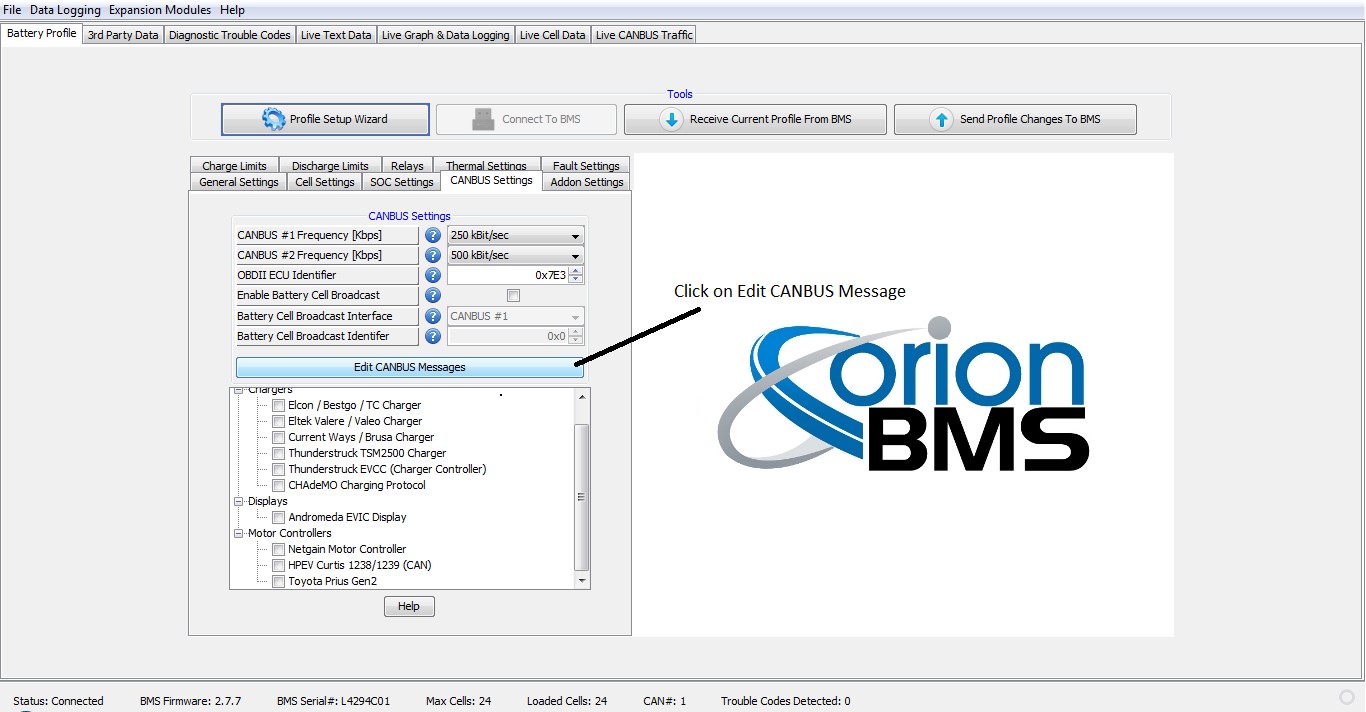
The BMS must have the program parameters adjusted in order for the charger to turn on and charge. To do so this will require your own computer and e-ride programming cables part# U5665A & U5666A. The program cable will plug into the black connector located just above the accelerator pedal. This type of connector is referred to as an OBD2 connector. Plug the other end of the cable into the USB port of your computer. Plugin the vehicle just as if you were going to re-charge it. Open up computer program labeled Orion BMS utility and follow these steps.
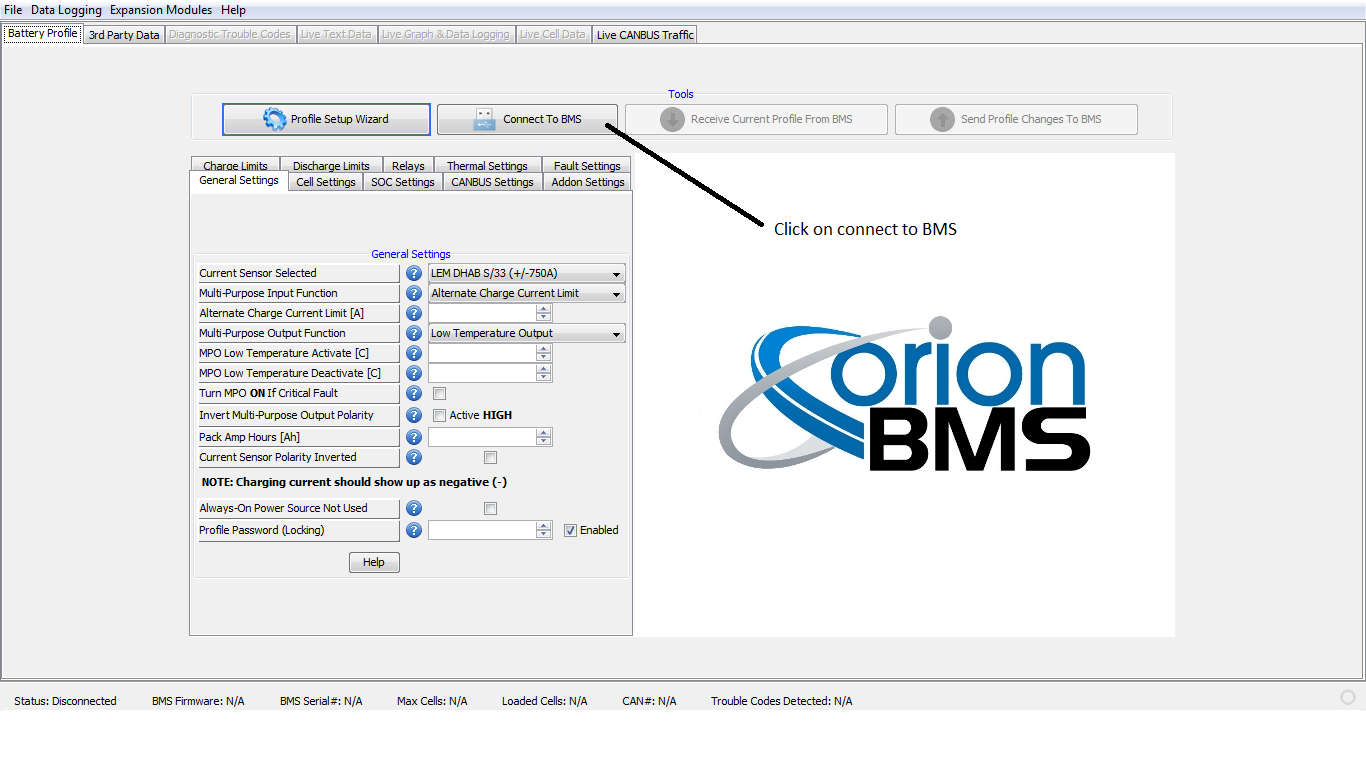
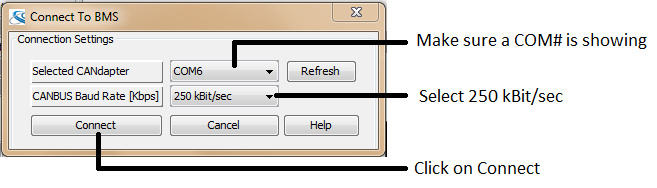
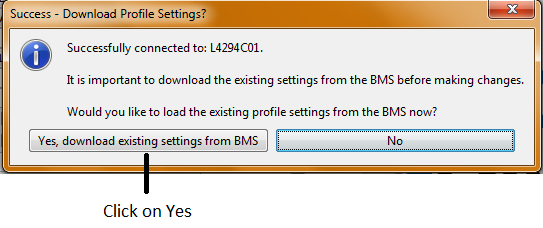
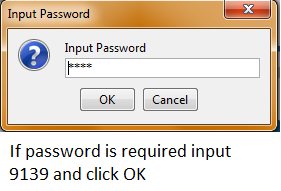
Click on CANBUS Settings Tab.
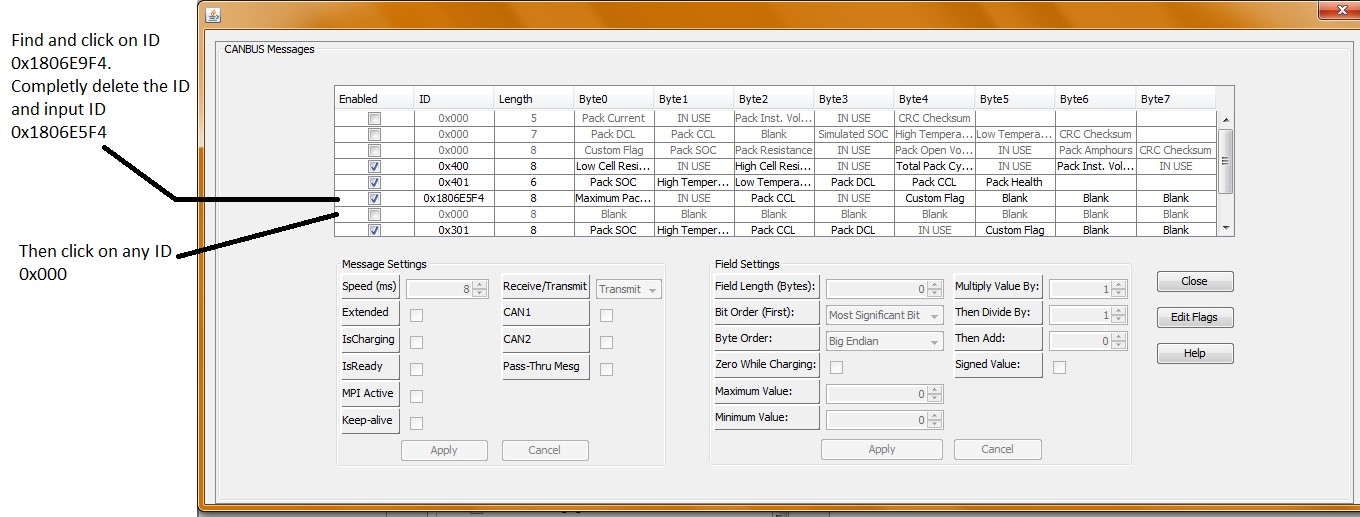
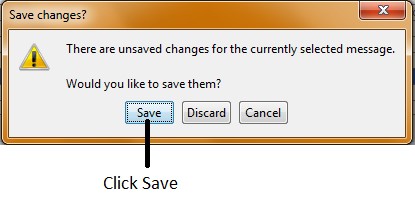
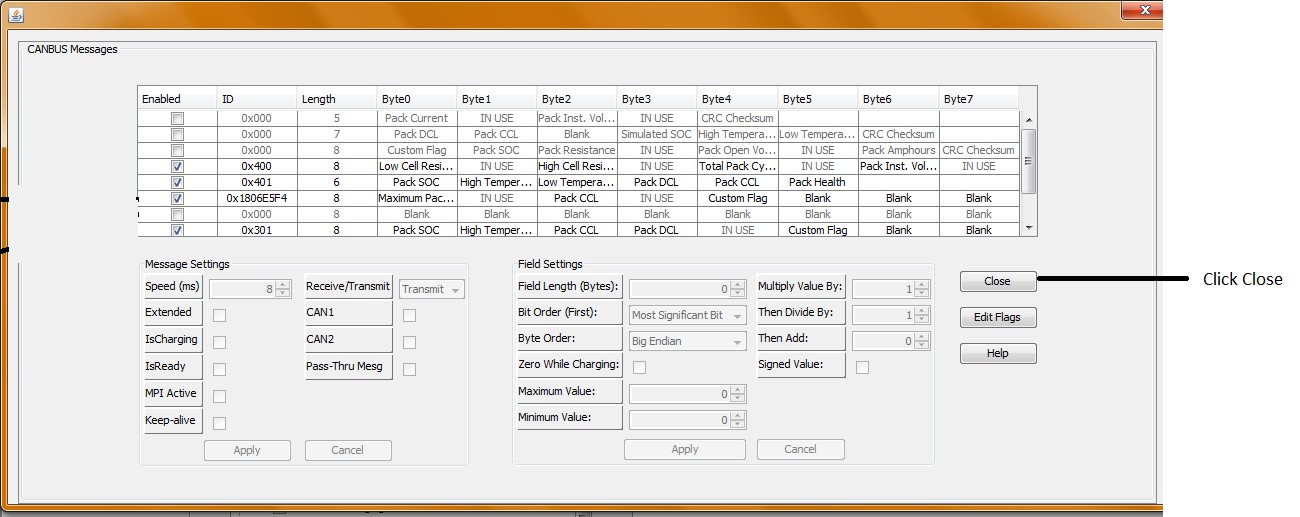
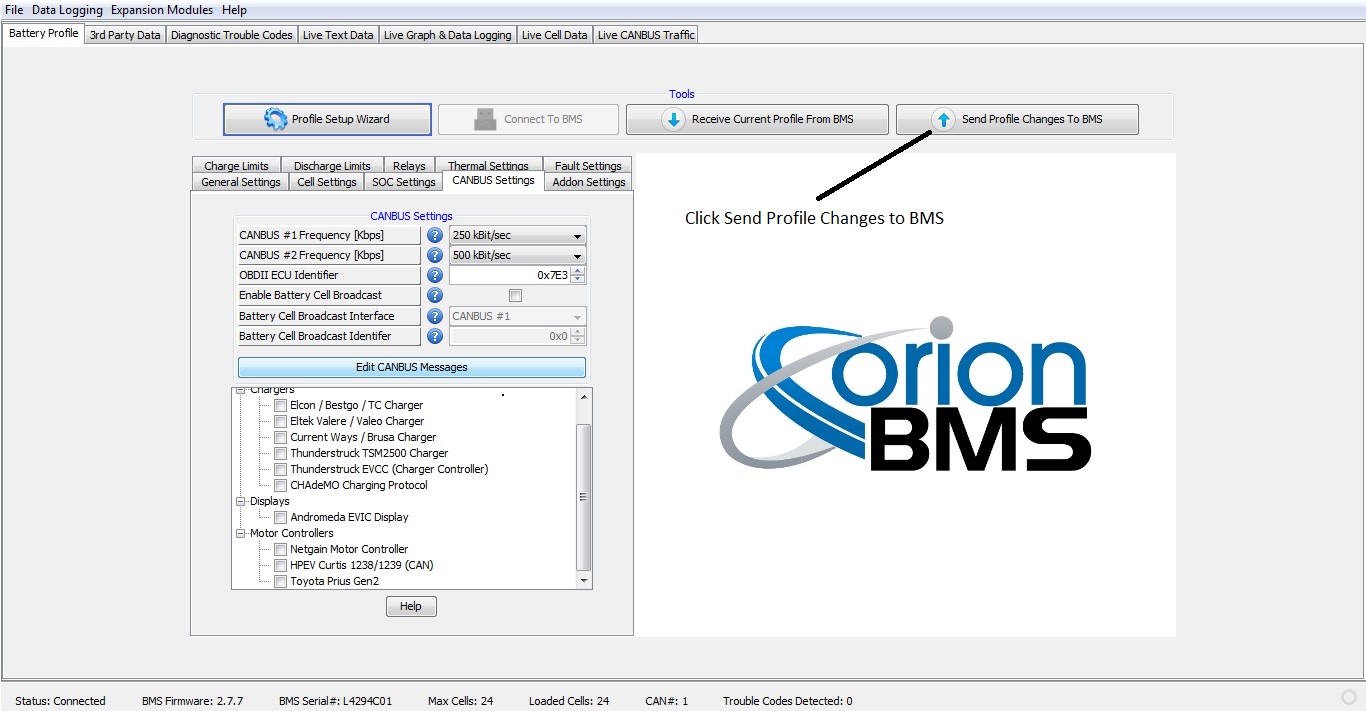
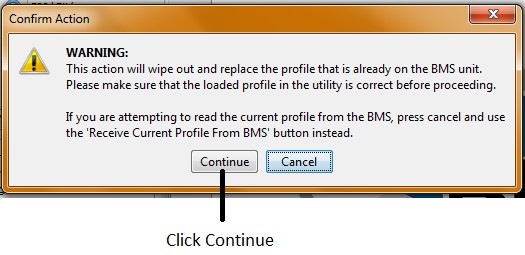
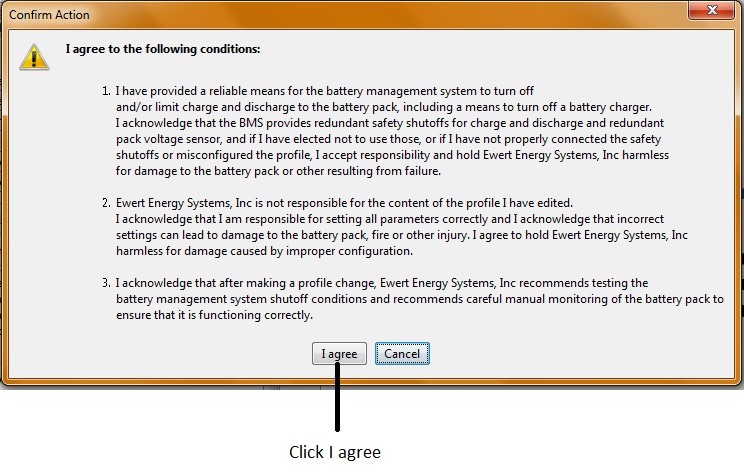
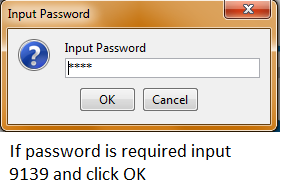
Program will load and will show that it was successfully loaded. Turn on main battery disconnect switch if not done so already. Vehicle should be charging. You can confirm this by opening the tab labeled live cell data. The pack current should show a negative number such as -15 or -25 depending on the AC voltage being used to recharge the vehicle.