Drive System/'s
ALL DrivesBattery Type/'s
-Lithium 100AH Batteries with 3.3KW Charger-Lithium 200AH Batteries with 3.3KW Charger
-Lithium 100AH Batteries with 6.6KW Charger
-Lithium 200AH Batteries with 6.6KW Charger
-Lithium 110AH Batteries with 3.3KW Charger
-Lithium 110AH Batteries with 6.6KW Charger
-Lithium 150AH Batteries with 3.3KW Charger
-Lithium 150AH Batteries with 6.6KW Charger
Manufacture Dates
Between 01/01/2012 Thru 12/31/2025
Below are the steps to take to see if the battery charger is communicating with the battery management system (BMS).
This requires lithium diagnostic tool U5665A-N along with your own laptop. If you do not already have the program installed on your laptop/computer, need a refresh on what program is needed or how to connect to the vehicle see these instructions.
Have the vehicle plugged at the front bumper. Then Open Orion BMS Utility program for the version of BMS your vehicle is equipped with.

Click Connect To BMS button.
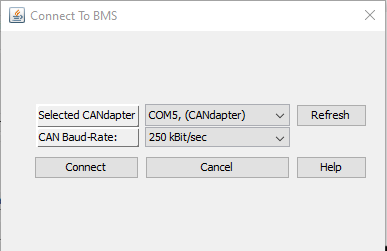
Selected CAN adapter should have COM#
CAN Baud-Rate make sure 250 kBit/sec is selected
Click on connect
Note: Vehicle needs to be power up on its own or plugged in at the front bumper. Key does not need to be on to connect.
If connection was successful, you will get a window asking to download profile settings which is not needed so click No

Across the top you will see a tab called "3rd Party Data" Select it.
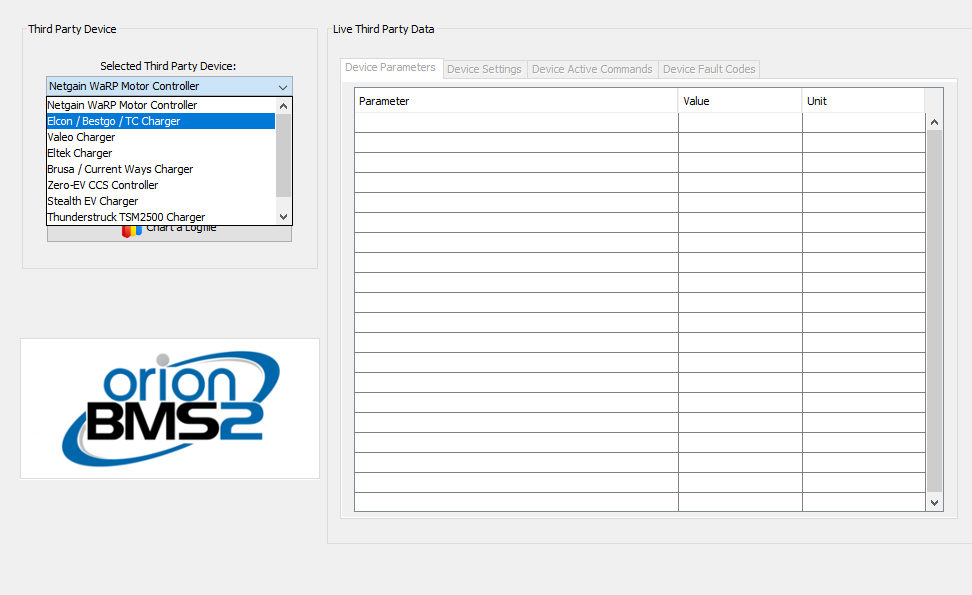
In the selected third party device select ELCON / Bestgo / TC Charger

Click on Connect To Device button

You will get this screen. Just click OK.
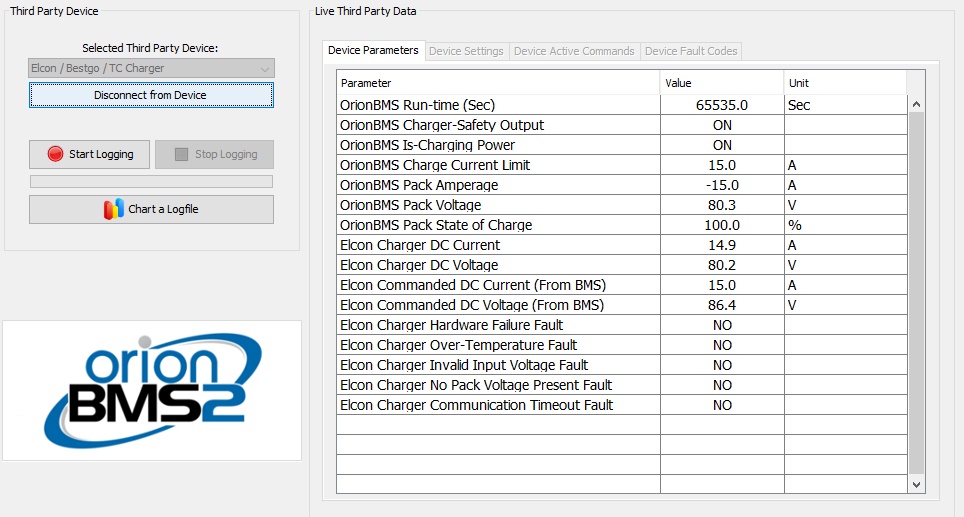
Here is what the data should look like with an operational charger.
- ELCON Charger DC Current will vary depending on AC input voltage and state of charge but should be between 5 - 40 A
- ELCON Charger DC Voltage should be 70 - 86.4 V
- Elcon Commanded DC Current (From BMS) is the amperage the Charger says the BMS is telling it to charge at.
- Elcon Commended DC Voltage 9From BMS) is the max voltage the Charger says the BMS is telling it to charge up to.
- The remaining below this YES if a fault is active.
If no communication is present between the charger and BMS the screen will look like this:
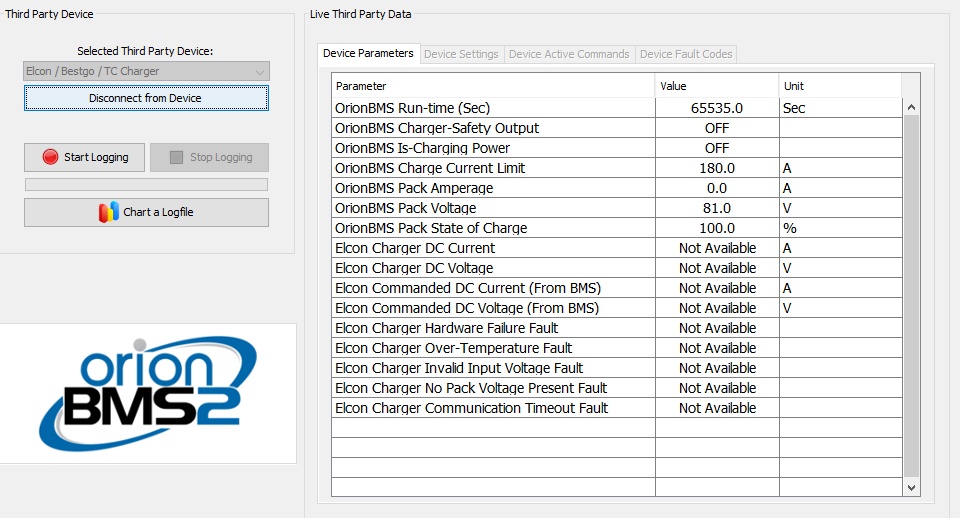
You will see the Not Available message. This means the charger CANBUS signal is down or the internal CANBUS signal in the charger is not operating. The CANBUS signal needs to be repaired, or the charger needs to be replaced.