Battery Type/'s
-Lithium 100AH Batteries with 3.3KW Charger-Lithium 200AH Batteries with 3.3KW Charger
-Lithium 100AH Batteries with 6.6KW Charger
-Lithium 200AH Batteries with 6.6KW Charger
-Lithium 110AH Batteries with 3.3KW Charger
-Lithium 110AH Batteries with 6.6KW Charger
-Lithium 150AH Batteries with 3.3KW Charger
-Lithium 150AH Batteries with 6.6KW Charger
Below are the steps to check and see if the battery charger receiving the correct CANBUS values from the battery management system (BMS). This only pertains if you installed a new battery charger and charger is not operating.
This requires lithium diagnostic tool U5665A-N along with your own laptop. If you do not already have the program installed on your laptop/computer, need a refresh on what program is needed or how to connect to the vehicle see these instructions.
Have the vehicle plugged at the front bumper. Then Open Orion BMS Utility program for the version of BMS your vehicle is equipped with.

Click Connect To BMS button.
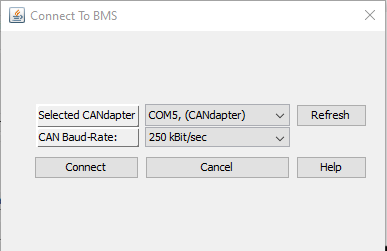
Selected CAN adapter should have COM#
CAN Baud-Rate make sure 250 kBit/sec is selected
Click on connect
Note: Vehicle needs to be power up on its own or plugged in at the front bumper. Key does not need to be on to connect.
If connection was successful, you will get a window asking to download profile settings which is not needed so click No

Across the top you will see a tab called "3rd Party Data" Select it.
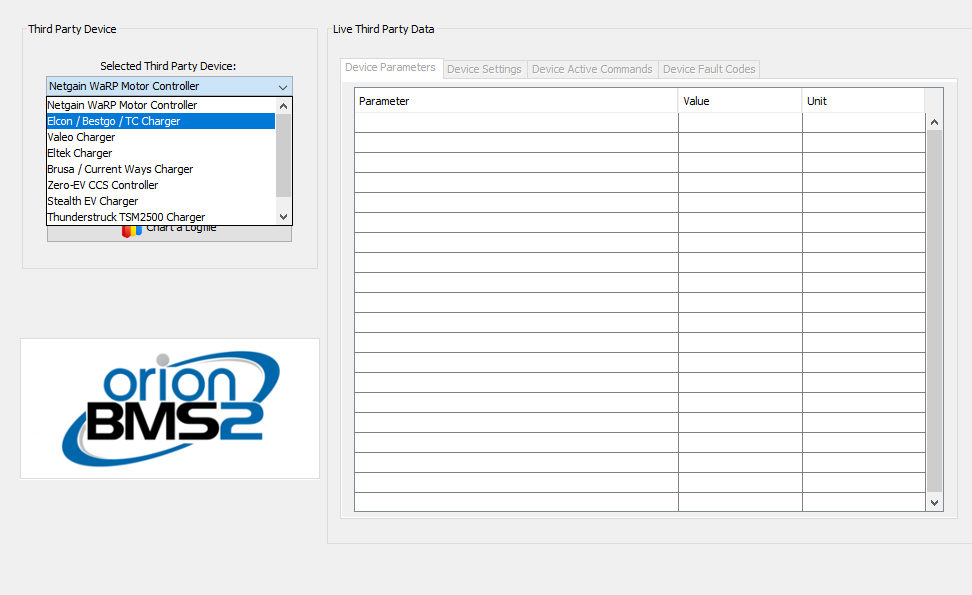
In the selected third-party device select ELCON / Bestgo / TC Charger

Click on Connect to Device button

You will get this screen. Just click OK.
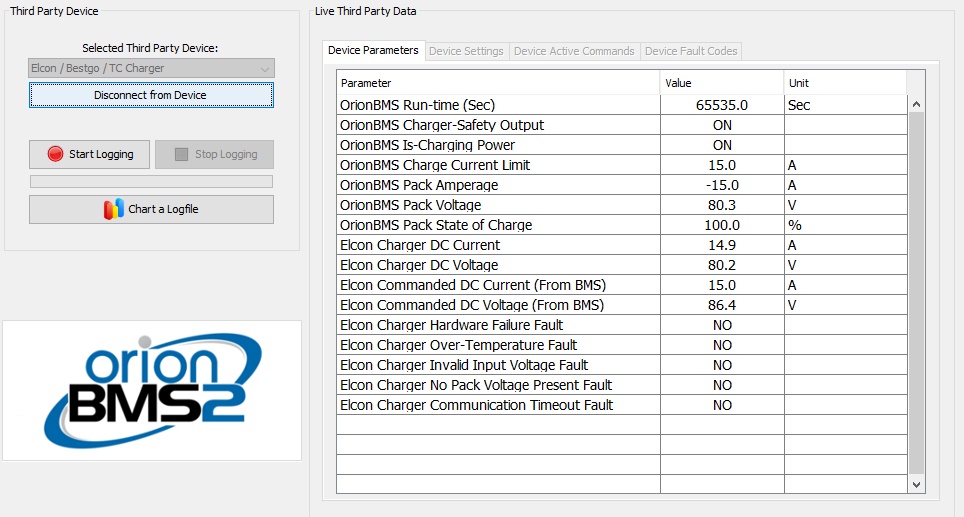
Here is what the data should look like with an operational charger.
- ELCON Charger DC Current will vary depending on AC input voltage and state of charge but should be between 5 - 40 A
- ELCON Charger DC Voltage should be 70 - 86.4 V
- Elcon Commanded DC Current (From BMS) is the amperage the Charger says the BMS is telling it to charge at.
- Elcon Commended DC Voltage (From BMS) is the max voltage the Charger says the BMS is telling it to charge up to.
- The remaining below this YES if a fault is active.
Values to check are the Elcon Commanded DC Current (From BMS) and Elcon Commended DC Voltage From BMS). These values will be way off if incorrect. Such as commanded DC voltage would be 8.6 or 860.4. Commanded DC current would be something like 1.5 or 150. Up till know most commonly the issue is with commanded DC voltage will show 860 or 950. Basically, the CANBUS message needs to be divided by 10.
Steps to take to resolve this issue.

Click on Disconnect from Device button

Select Battery Profile tab across the top.
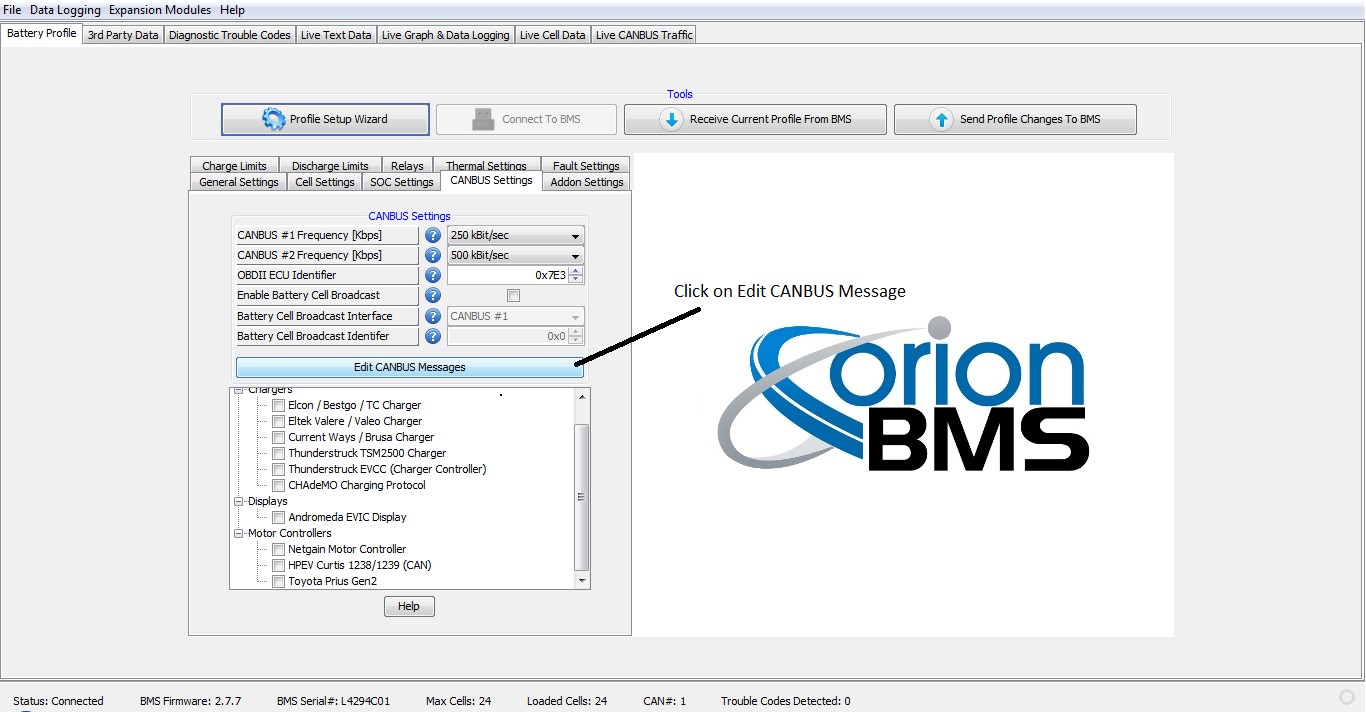
Click On CANBUS Settings Tab
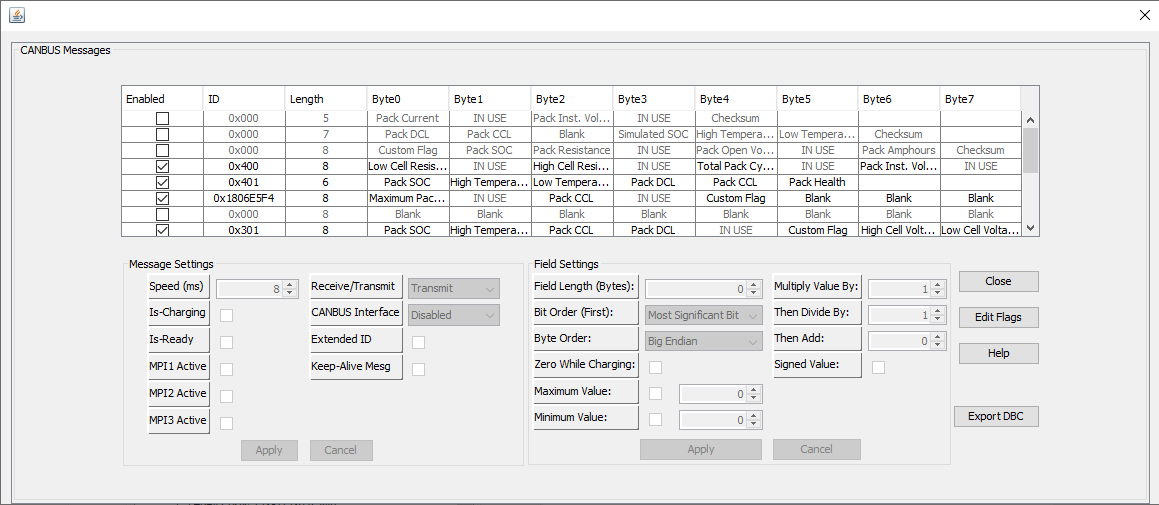
In the popup window look in the ID column to find 0x1806E5F4.
For this example, I am going to use what is believe to be most commonly incorrect which is commanded DC voltage and we will use the example of it reading 950.
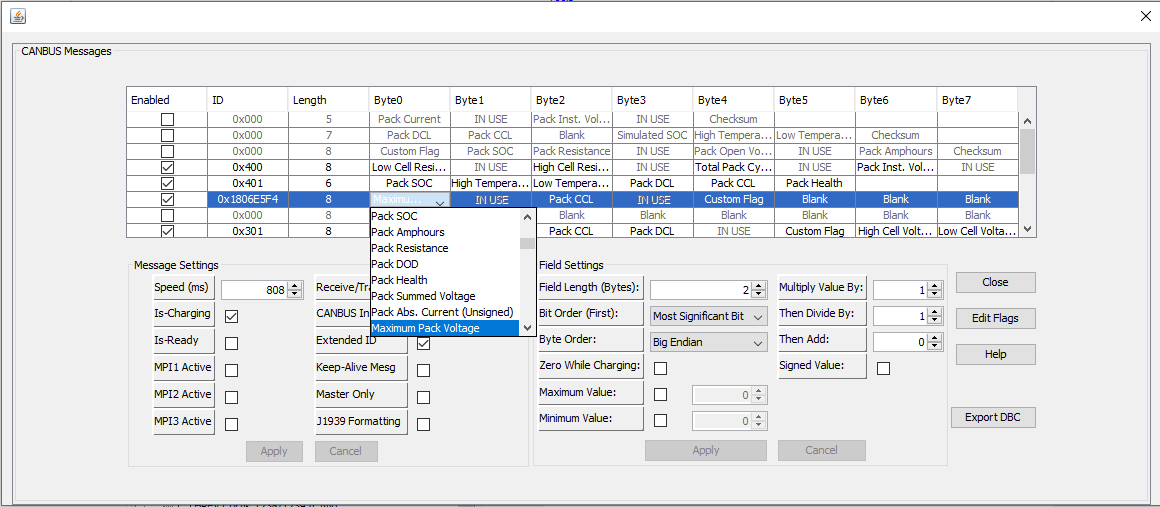
In the Byte0 column of the 0x1806E5F4 ID row click on the Maximum Pack Voltage. Dropdown will appear but do not change the setting. Just need the cell clicked on.
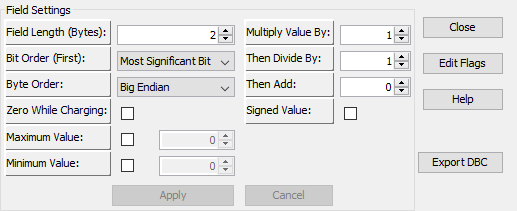
In the lower right of the screen you will see field settings. The value that needs to be change is the multiply value by or then divide by value. Basically, apply simple math. For this example, we need to change from 950 to 95 so we need to just change then divide by value from the 1 to 10. 950/10=95. If say in your case multiply by value was set to 10 then you would not change then divide by value. Just change the multiply value by from 10 to 1.

After value is changed the apply button should now be able to be pressed. Not grayed out. Click on the apply button. Then close this window.
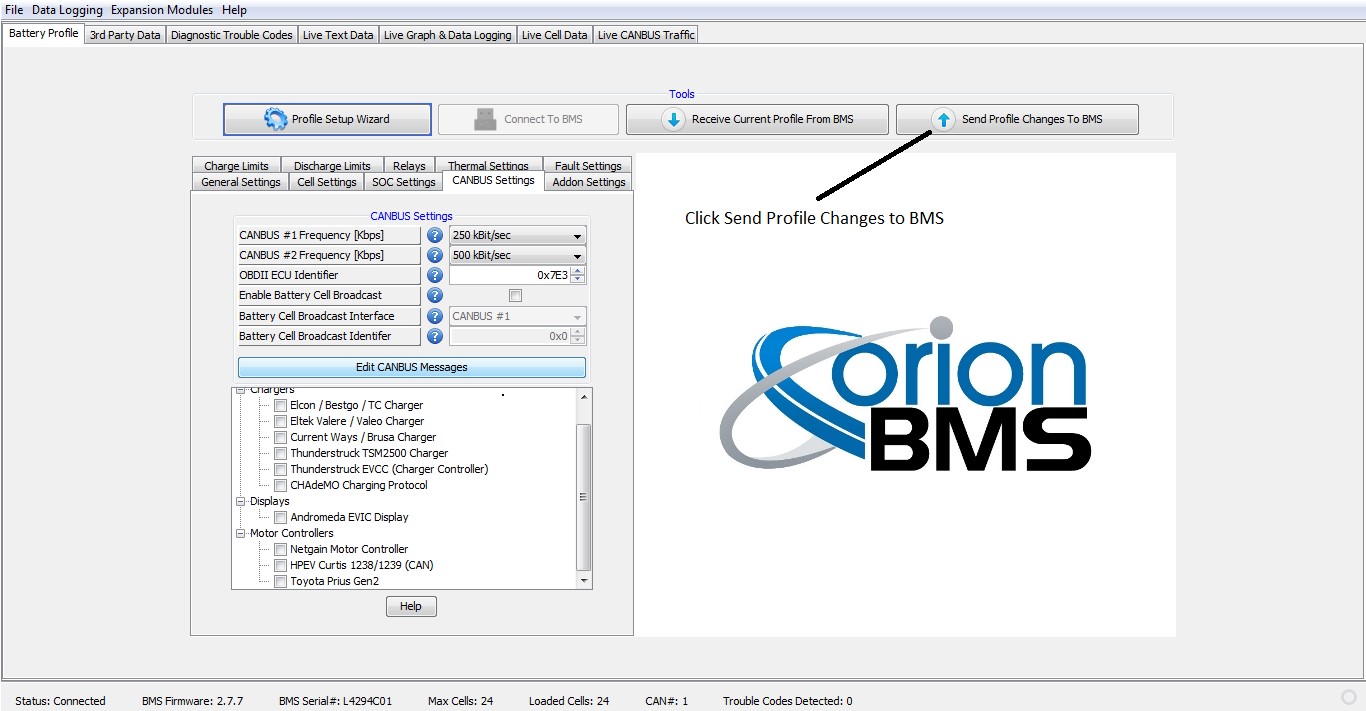
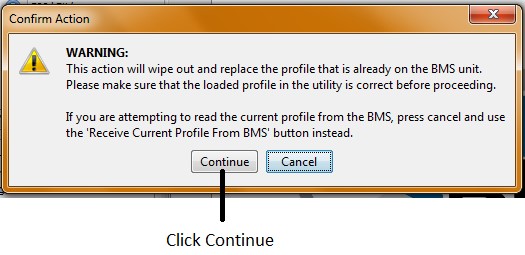
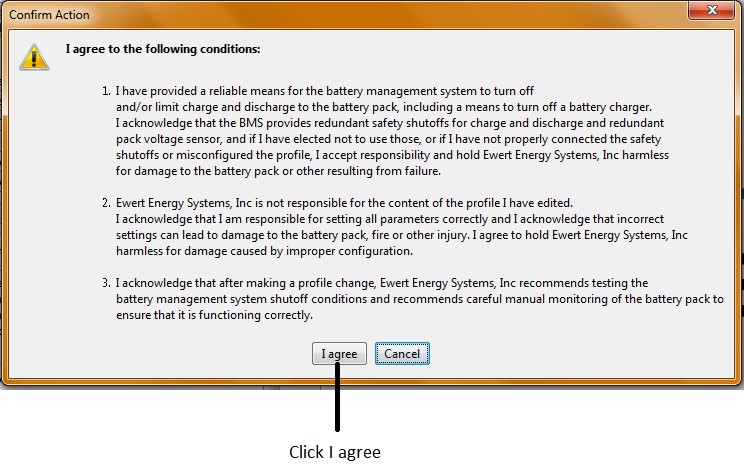
Program will load and will show that it was successfully loaded. Turn on main battery disconnect switch if not done so already. Vehicle should be charging. You can confirm this by opening the tab labeled live cell data. The pack current should show a negative number such as -15 or -40 depending on the AC voltage being used to recharge the vehicle. You can also go back in and connect back to the charger to see what the commanded DC voltage and commanded DC current values are reading.